When a guest submits your Guest Intake Form, they're also agreeing to your guest release. The form shows them:
- A notice that submitting the form means agreeing to your Podcast Guest Agreement and Release
- A Read Guest Release link so they can review the full agreement
- A verification step (to confirm they're not a robot)
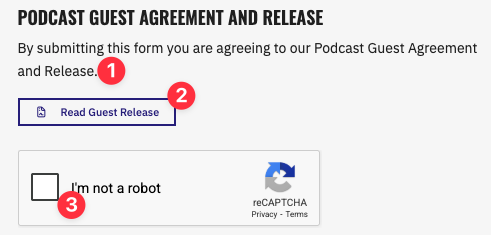
By submitting the form, the guest is formally agreeing to the terms of your guest release.
Downloading a signed release
Podpage records each guest's agreement — their name, the date and time they agreed, and the release they agreed to — and you can download a signed copy at any time:
- In your dashboard, go to Episodes → Guests. Use the Signed Release filter to see which guests have signed.
- Click the guest to open their profile.
- Click Download signed release.
Guests also receive a link to their own signed copy in the confirmation email they get after registering, and your guest CSV export includes when each guest signed. Available on the Pro plan and above.