
 Apple Podcasts
 Spotify
 PocketCasts
 Amazon Music
 YouTube
 Scaling Change: How Hillsborough County Schools Reimagined Classroom Experience
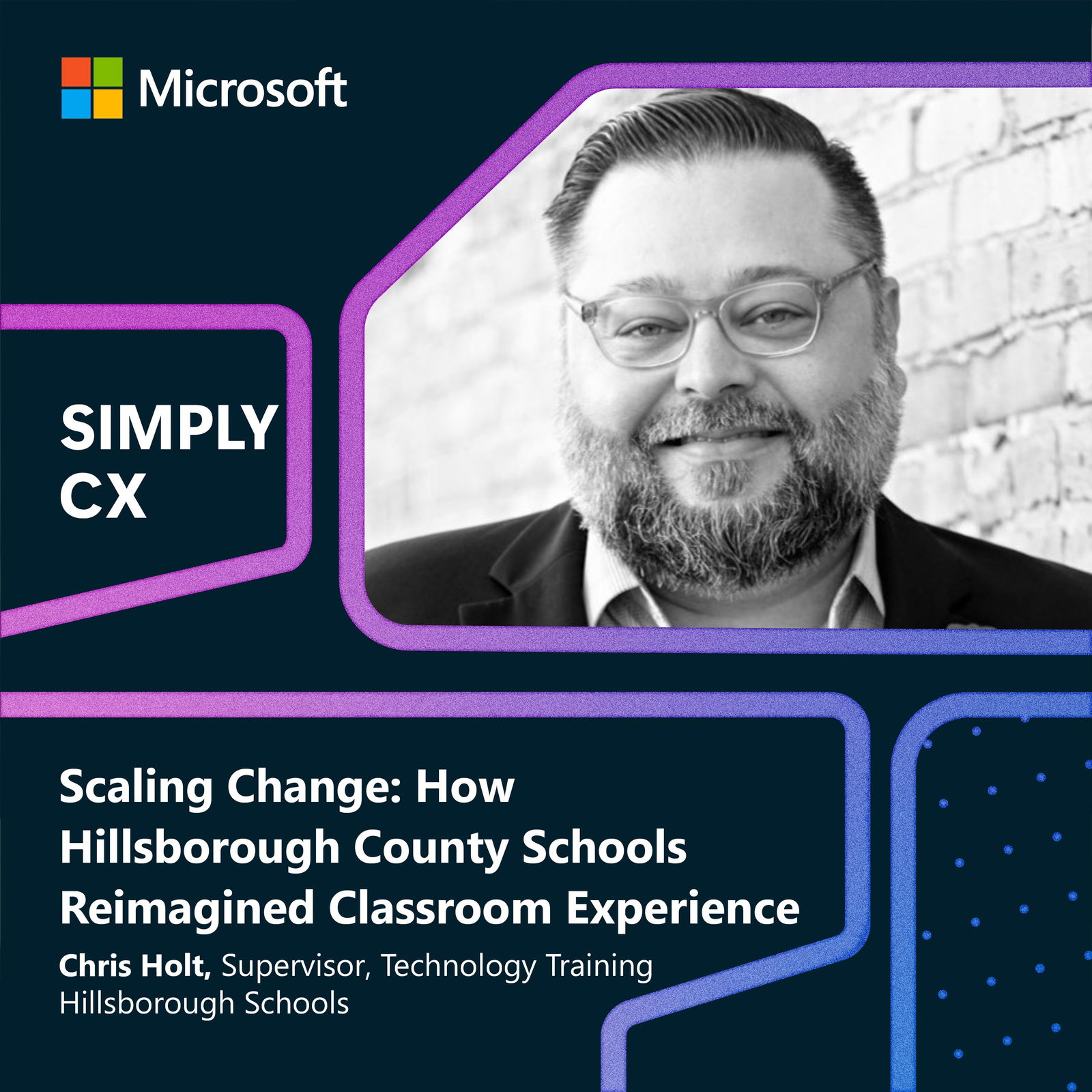
In this episode of Simply CX, host Nicole McKinley sits down with Chris Holt, Supervisor of Technology Training at Hillsborough County Public Schools (HCPS), to explore how one of the largest school districts in the U.S. transformed its classroom experience. From interactive flat panels to AI-powered learning accelerators, Chris shares how HCPS built a human-centric, scalable change management strategy that empowered teachers and elevated student engagement.
You'll walk away with:
• How HCPS reimagined classroom instruction and experience
• The design and impact of the Hillsborough Influencer Academy to drive adoption and value
• Strategies for implementing AI-powered experiences in education while keeping human connection at the center
Whether you're a CX pro, team leader, or brand builder, this episode will inspire you to see customer experience through a more human—and more powerful—lens.
Mentioned in this Episode
• Reading Progress & Learning Accelerators
• Hillsborough Influencer Academy
• AI Governance Council
• University of South Florida Credentialing Partnership
🎧 Produced by Larj Media
📩 For more CX insights, follow Nicole on Linkedin
If you have questions or comments about CX email us: SimplyCX@microsoft.com
Additional Resources
Guest: Chris Holt, Supervisor of Technology Training, Hillsborough County Public Schools
Partners: Microsoft K-12 Team, PowerUp EDU, Connection, University of South Florida
| each student on their device has live translation into the language that's their first language. |
| Wow. |
| So in a classroom, you can have three different languages being translated at one time. So what this tool does is it gives teachers confidence that, "Any student that comes into my room, if they're an English language learner, their home language is going to be supported and I can give them some supports in it." That's an incredible, incredible, incredible part of it. |
| [music] Welcome to SimplyCX, where we bring you customer voices and expert insights. I'm Nicole McKinley, leader of Global Customer Experience at Microsoft. Hillsborough County Public Schools, or HCPS, is the eighth-largest district in the United States by student population. They recognized that there was an opportunity to create a much more innovative and inclusive classroom and teaching experience. So the district implemented a long-term strategy using technology and has since introduced many elements of Microsoft 365 education into the classroom. The leader of that change is my guest today, Chris Holt, supervisor for technology training at Hillsborough County Schools. Welcome, Chris. So I understand tackling the problem had to do with the tools teachers have when they are in front of the class. There's been a lot of evolution there from chalkboards to whiteboards to overhead projectors. What was your approach, and what did you implement in the classroom? |
| Okay. So what we first implemented, we looked at our hardware in our classrooms. We wanted to provide a foundation across all the schools around what hardware that is used to teach in the classroom. Step one, interactive flat panel. Think the TV in your house, but way bigger and being a touchscreen that teachers can work off of. So now you're taking what would have been the overhead projector or the projector of the previous decades, and now it's becoming a giant interactive visual panel for the teachers to work with and also for the students to come up and work with. That's number one. Two, we wanted to make sure that just like what the students see in the classroom, we want to make sure they can hear everything in the classroom. So we took a real top-down approach to making sure we improved the audio in each of our classrooms. And if teachers needed support from a microphone to make sure all their students could hear them, they had that as well. |
| How did you involve the teachers, in this case, your customers and what you developed? |
| I think that comes in a lot of different avenues. In a district this big with as many classrooms as we have, as many teachers as we have, that feedback comes in lots of different ways. We put out surveys and asked teachers that had these technologies in their classrooms already. What did they use? What did they find was a hindrance to teaching each day? What really helped make lessons more engaging? Another piece of it is just anecdotally going out and talking to teachers. I'm out doing a training. Let me ask questions of the teachers at that particular school that I'm with at that moment and record their voice in that way. |
| Sometimes it's the really gung-ho teacher that goes to a conference or goes to an event and sees the technology and brings it back to their curriculum supervisor or mentions it to us directly. Lots of different ways that you can bring that voice into the process. The key is making sure that you're listening to it. |
| Okay. So you have the idea. Teachers are telling you what they need, and you begin to put the flat panels in. How is it received by teachers? |
| Well, I think everybody loves it when bright shiny technology shows up. But also with that, there's some apprehension. There was a lot of anxiety around, "Hey, you're, you're putting an 85-inch flat panel on top of my whiteboard. And my whiteboard is what I use every day." So a lot of schools ask, "Well, can we mount it on a sidewall or can we do this?" And obviously, at a district our size, we can dive down the realm of custom installing for every school. So we tried to couple that beginning piece of when the school got their panels installed, we came right back with virtual training for the school on how to use it right off as a whiteboard. Obviously, being honest, there's plenty of people that were like, "I still don't like this flat panel," right? There's a spectrum of people that are going to be accepting or not. |
| Absolutely. |
| But always making sure something's tied to instruction really drove that positive acceptance of what was happening and what was going on. |
| So really using technology as an enabler for the teachers to do their job more effectively, while also using their feedback and being transparent and open to all feedback, the good, the bad, and the ugly, to help drive your continued planning and decision-making on improved technology investments. That sounds like a massive undertaking considering how large your district is. |
| We have 235 sites. You're not going to do all 235 at once. So we did it in cohorts. And what we really did was make sure that each of those cohorts, we got feedback from the teachers. We got feedback from the administrators, both on the training process, but also the installation process. "How can we improve the process of getting the panel in? Do you feel that when your panel came into your room and the kind of handouts that were there and were provided for you to kind of learn a little bit about it right off the bat, was that effective? Was that not? Would you like more?" So listening at each step to making sure the customer, who is the teacher in this example, feels like they're part of the process, and it's improving at each different step. |
| No, that's fantastic. I know you leaned heavily into Microsoft 365 Education. |
| Yep. |
| What made those tools a fit for your district? |
| When you have built a relationship and you trust the people that you work with, whether it's inside the district or out of, as a vendor partner, which Microsoft is, it comes back to change management. We want to make sure that we're looking across the tools that are offered, Microsoft being one of the pioneers of a lot of educational tools, and making sure that it makes sense with what we're trying to accomplish academically, but it also makes sense from a change perspective. There's a comfort when a teacher is using Microsoft tools in their productivity to then use those tools in their instruction. So at the time, when we looked across some of the new tools that were coming out, like some of the learning accelerators, Reading Progress was the first one of those, when it comes to using Teams in ways that we hadn't before, Microsoft really made sense as a partner because they fit tightly in the work that we already do. |
| That's really good to hear. I know you're also leveraging some accessibility tools for reading. One of them you just mentioned, Reading Progress. Will you explain how teachers traditionally worked with students and how you've evolved the process? |
| So a teacher would have student come up and sit at a table with them, typically, a small table in a classroom. This is really a reading instruction-focused activity. And the student would read a passage. And the teacher's listening to the student read. And what they're looking for is, "Are there omissions? Are there substitutions? Is a student saying a word twice? Are they stopping and repeating a word? Are they pausing because they don't really know the word?" And they make little tick marks, which is just a practice that teachers are trained on. And they're going and looking at that fluency, and they're doing it. Now, a teacher has to do this one by one. |
| So if you have a classroom, elementary classroom with 20 kids in it, or you have a middle school reading classroom sometimes with 25 kids in it, you can imagine how long it takes to accomplish that. And when you have the one student sitting in front of you, what are the other 19 or 24 students doing? You've got to have something independently for them to do as well. So when you look at what Reading Progress has done, it has given our teachers the ability to offload a little bit of that to technology. So now, instead of a student sitting in front of the teacher and doing it, they sit in front of a computer, much like you and I are right now with a camera, and they read a a passage that the teacher is pre-selected that's tied to standards that is grade level specific and developmentally specific. And then they're on camera so the teacher can still see them when they go back and review it later. And the student then they get a report back generated by an AI algorithm that's analyzing the reading that shows where those little pieces happened. So now instead of me having to sit with one student as a teacher while my other 19 or 23 are working independently, I can rotate them through that station. And now it becomes part of my center-based learning as opposed to-- and I'm able to be out and supporting other students in their learning at the same time. Now, it's still human-centric because the teacher still has to go back and look at it and review it and make sure it's accurate before the student gets any feedback on how well they did. |
| With Hillsborough being just such a huge district, I imagine the diversity of the students is quite significant as well. With technology driving step change in creating a more inclusive classroom, how is tech affecting that area for you and for Hillsborough? |
| So Translator and PowerPoint Live, which are some tools that were built into PowerPoint at the time. They now kind of transitioned over to Teams. But these tools mean that each student has a laptop at their desk. They've opened, and they've joined a session, or they've joined a Teams call. And the teacher's speaking naturally out in the classroom, walking around, talking to kids, delivering what we call in K-12, direct instruction. Each student on their device has live translation into the language that's their first language. |
| Wow. |
| So in a classroom, you can have three different languages being translated at one time. So you may have a student who speaks Haitian Creole. They're getting some translation work from these tools. You may have a student who speaks Spanish, right? Naturally, in Florida, we have a lot of students who come in that speak Spanish as their first language. They're getting some of that. And there's 56 different languages. So what this tool does is it gives teachers confidence that any student that comes into my room, if they're an English language learner, their home language is going to be supported, and I can give them some supports in it. That's an incredible, incredible, incredible part of it. |
| That's a real game changer. I have chills over here just in terms of being able to reach that many more students and be so inclusive in the teaching approach. I mean, it really illustrates the power of technology to transform an experience that has tangible value immediately. |
| Even if it just means that one student was more engaged in a lesson today than they were before that tool was accessible to that teacher, the tool is a success. |
| Absolutely. You talked about how you are constantly driving change, introducing new tech, new capabilities. We see this across the customer experience landscape, especially now in an AI-driven world. Industry maturity, business maturity, individual readiness all really impact the speed of adoption. And just as humans, it's tough. What kind of challenges, if any, did you see your stakeholders face as this high volume of change was introduced? |
| I think the real thing you got to look at is it can't be a one-size-fits-all approach. So at a district level, a lot of times we think about numbers of schools, numbers of teachers, numbers of classrooms. And there are points where that is appropriate. But making sure that each school had some autonomy around when this was going to happen. Now, the installation of hardware is a different thing. It's going to be happening this time. But making sure that as we brought new information to the school, the school had some choice in when that training would occur. |
| Something we've deployed at Microsoft is the concept of a CX champion, someone who has stepped up to invest in their own and help their colleagues get up to speed too. We've seen this work in our own CX evolution and our AI technology adoption. I know you did something similar with teachers. |
| So the teacher influencer program is, at its core, a group of teachers, some from each site, that are learning about the use of technology and bringing it back to their teachers at their site to help them with using that in instruction. We came on to the word influencer because it's honestly what they are. They were coming and learning, and they were going back and influencing teachers to use technology in their classrooms. That doesn't mean they were forcing it, but what it means is they were helping them to bring that technology into that group. |
| Why did you choose that model or peer-to-peer training versus traditional methods of implementation and training? |
| The first is scale. If I look at the number of people that we have that could provide that training versus the number of people that needed that training, the math didn't add up. The second driving decision in that is then, okay, how do we then reach this out to all of our teachers? There's several modalities you could do that. You could say, "We're going to build a self-paced course, and then maybe we'll do some office hours." That works sometimes. We're going to do a bunch of virtual training, and teachers can sign up whenever they want. That's okay too, but that's very top-down. How can we empower people at each site to be able to bring back this expertise as influencers and then train their staff? And now you have capacity at each site to address questions, encourage use, help to even implement and plan that use in instruction as time allows. So for us, it made sense. I wasn't the only one doing this, but what I'll say is to the other partners that we worked with, whether it was the IT staff, whether it was the academic staff, what made sense for us was making sure that each school had capacity. And we worked really closely with Microsoft and their K-12 staff at the time, along with a partner, actually two partners that were global training partners with Microsoft, Connection and Power Up EDU. We sat down at the Microsoft office in Tampa and started really sketching this all out. And the one thing I can say beyond all of it is that everybody was an educator. This wasn't an enterprise partner trying to fit in what they knew about the business world into the education world. Every single person, whether it was the global training partners, us internally in Hillsborough, or Microsoft itself, they all understood what a classroom looked like, and they understood what would resonate with teachers. So that was really, really important to building out the Hillsborough Influencer Academy. Again, human centricity, right? Making sure that we're thinking about the humans that are actually going to do this and that we're able to do this at scale. |
| Well, I love it. Was the Influencer Academy as a concept core to your change management strategy out of the gate? Or did it just kind of organically come up as an interesting idea? Clearly, it was a team effort in formulating the actual program, but how intentional were you in building a strategy around change management that then led you to the development of this influencer academy? |
| We were really intentional when thinking about if you're going to do it at scale, like what does it make sense for the right way at scale? It's a whole different when you're doing it with five schools and then when you're doing it with 235 schools. So that starts. And then from that, it just kind of happened organically. Like if we're trying to accomplish this in the next 12 to 18 months, this is the only way we're going to be able to do it and have it still be meaningful for our school sites. |
| So were teachers like immediately raising their hands and saying, "Sign me up. I want to be an influencer," or how did you go about that? |
| We had a lot of teachers that were raising their hands. We had a bunch of people that were interested, but we wanted to make sure that each school got a level of support that made sense for it. It's, again, not one-size-fits-all. A high school with 120 teachers needs more influencers than an elementary school with 25 teachers, right? So we built a sliding scale where each school got an amount based on student enrollment. A high school would get sometimes five, six, seven influencers. An elementary school would get three, sometimes four. |
| We had schools that were asking about, "Are you able to compensate our teachers for being at training?" And we were able to do that through the funding that we got. Then giving the autonomy to the principal and giving them some guidance and saying, "It might be, by nature, you want to pick your three or four most tech-savvy teachers." Well, a lot of times, you may not want a tech-savvy teacher. You might want somebody that understands how technology can make an impact but sometimes has a little bit of hesitation because a lot of times, when you bring something to a school, it really resonates when it's a teacher talking to teachers. So we gave them some guidance to say, "Yeah, sure. Pick some tech-savvy people that you know are going to be real hard champions right off the bat and are really going to work hard to bring this back. But let's also bring some people in that we can expand the flock, so to speak, and make sure that all types of teachers and their comfort of technology are represented in that influencer group." |
| Sometimes the most effective and influential voices are the skeptics, the tenured teacher who's been there for 45 years and perhaps is not typically an adopter of technology. And if they could be that influential voice helping guide others, it's that much more impactful and really creates that ripple effect. |
| It's interesting you bring up that skeptic and the veteran teacher and not necessarily with the influencers, but as we're seeing that today. When we do trainings and we do work around AI, it's amazing that it's those teachers that come up to us first and say, "This is incredible," which is kind of a reversal in ways. |
| Absolutely. Yeah. If we dive deeper into the Influencer Academy and the actual training and the aspects of the training, what are the key components of the peer-to-peer training approach? And what have you found has been most impactful in terms of really helping accelerate teachers being that much more effective in the classroom? |
| So in thinking about the content in the Influencer Academy, there were four different sessions. First one was hardware-focused. Internally, we presented that one on our own. That was on the new hardware that went into the classrooms. Whether it was the interactive flat panel that we put in on the front of the room, the audio enhancement tools that went in hardware-focused first. Now, influencers are aware and understand and have a good in-depth understanding of the hardware that was in the room. So that set a baseline for hardware. The next one set a baseline for software. So M365, how does it work? How can you be collaborative in it? What are some things that maybe you didn't know that the tools in M365 could do, Outlook, PowerPoint, some of the other pieces, Teams, OneNote? So really, level setting around collaboration. Third session, accessibility. So this is now looking at the tools in Microsoft Education, whether it was the Microsoft Math Solver, Translator, Subtitles, and PowerPoint Live at the time. Being able to make sure that teachers understood that these tools were in place to help support learners and sometimes learners that needed additional interventions or additional help when they were in their classrooms. The last session really, really focused in on learning accelerators. So how can we now use technology to do things we've never done before? Take a moment to highlight reading progress, which I know was researched during COVID by Microsoft and was put out. One of the first times that I think I've ever seen AI really make an impact on education. So that was what that fourth session was really about. Bringing those learning accelerators in, reading progress at the time, speaker coach, which for secondary kids that are practicing doing their presentations, bringing that in. So in a nutshell, hardware baseline, software baseline, accessibility, innovation. We're kind of the four sessions, one, two, three, four. |
| Very impressive. This intentional four-part approach is just incredible. And again, how you're using technology to really accelerate the effectiveness of teachers in the classroom and to scale in new and different ways, especially on this whole element of accessibility and inclusivity, and using things like translator and reading progress checks, et cetera. But I'm curious if we think about teachers and then ultimately students and then the community at large as the major beneficiaries of this very intentional investment. How are you measuring success? |
| So measuring success when it comes to technology, it's not a straight line. I can't say that by putting in a new line panel, our test scores went up by X amount, or by providing this particular tool, our students reading comprehension went up by X amount. We worked with our Assessment and Accountability Office to just develop some follow-up with the influencers and we created a Microsoft collaborative team that had all of the influencers and each of those cohorts in it. So when they were working with us, it didn't stop when the training ended. There was a place to ask questions. There was a place to collaborate with each other. |
| And we use those two avenues, kind of that survey feedback data that you would think about, which is pretty traditional, asking questions about implementation. How many teachers do you think are using this tool? How many of you teachers do you think are bringing this particular method with the hardware into practice? And then using that to provide additional resources to support. But also just offering up that community where the work didn't end just because you were in cohort 1 and now we're in cohort 3. Cohort 3 got to be in that same collaborative environment and learn from what cohort one had done. So I would say the activity in that particular team, which continues to this day, by the way, and we've added more technologies and things to that as time has gone on. That community was key to seeing real success. |
| What has the teacher's response then been to both the training and the impact that the tools themselves have had in the classroom? |
| First thing I'll talk about is what you maybe consider anecdotal data, just conversation, right? So we hear from teachers, whether it's in the trainings that we do now that have moved beyond those influencer academy topics, we consistently hear, especially about the Microsoft Learning Accelerators, a lot about fluency checks used to take me two, three days to finish because I had to pull each kid out of instruction. And now I'm able to set up a small group in the corner of my room and get all of my students quickly through that. And if I didn't know about that tool, I'd still be doing something that takes me two or three days. |
| Now it takes me one day, maybe not even like a full day to do. So we hear a lot about time-saving. We hear a lot about the ability to do something that wasn't done before, specifically in those Microsoft Learning Accelerators. And there are new ones that have come out since then. |
| Well, that's another key benefit of Cloud Services, the ability to rapidly action on customer feedback. And in this case, it's teachers and deploy new capabilities. What are you seeing in education scenarios? |
| So there's now math progress, and there is search progress, which is an incredible tool in giving students feedback on that. So we continue to hear that. The other data point that I would say we continue to see is that we continue to see teachers coming to the trainings on the topics that were in the Influencer Academy that are part of our just normal catalog or trainings that we offer now. So we're continuing to see teachers come to those trainings, which means that the influencers are still pointing those out. They're still sharing that information. That community of educators that we've got is still working really well to bring more information out to our teachers. Because I mean, teaching, it can be a volatile thing. People move from school to school. We have new teachers coming in all the time and other teachers leaving. So being able to still see those attendance numbers and seeing that is a great data point as well. I think another thing that we look at to look at success in that same vein are curriculum supervisors that do different types of events, whether it's the Library Media Professional Study Day or it's the Literacy Institute during the summer, we continue to see the tools that were part of the Hillsborough Influencer Academy brought in. |
| Oh, interesting. What else? |
| But what we hear when we do these sessions is we hear teachers talk about saving time. We hear teachers talk about my students love coming up to the New Line panel and doing the split screen when we're doing a math lesson, and they can all three be writing on the panel at once, and they love coming up to the front of the room. We've had teachers talk about and specifically say, "I had ELL students, and sometimes I struggled with supporting them." Now having to give them a laptop and using the live translation, that student feels like they're more a part of what's going on in the classroom. It's not to say that they weren't a part of it before, but to say they're increased that connection with what's going on. I could sit here and say, 56% of our teachers have decided to use Reading Progress, but I don't think that gets to the core part of it. I think it gets to the part of, are the students more engaged with these tools? Are we bringing more students into instruction and making them feel more part of it because of the tools that were in Hillsborough Influencer Academy? And do our teachers feel comfortable with using it? And are they still coming to trainings around it? |
| That's very powerful. So time-savings, teacher engagement, student engagement, usage, and really the level of connection and excitement and desire to continuously learn and grow with these capabilities, again, both from teachers as well as students. |
| That's really what we see as a real success point for the project. And I can also say that if you're a district person who's trying to do something, maybe not. Maybe it's with AI, maybe it's with something else. Leveraging your partnerships is an incredible asset and something that Microsoft provides to all of us that are their customers every day. And it's really a really supremely useful piece of a relationship. |
| Well, clearly you operated as one team. |
| We did. |
| Across Microsoft Power Up EDU and connection from the get-go, from planning, designing your strategy, including your change management approach, the development of the Influencer Academy, all the way through to deploying the new trainings and the new technologies inside the classroom. So great example of just the power of diverse perspectives and the importance of partnership to really accelerate impact. Fantastic to see. So what's next? Now you have more than 250 influencers trained. What's next for HCPS? |
| It's AI. It's artificial intelligence. It is understanding AI's place in the classroom. For the last year, we have an AI governance council that was led by district leadership, at the cabinet level, all the way at the top level, all the way down to the levels that I work at. Again, mirroring the same process I talked about with the Influencer academy, listen to stakeholder voice around what is the apprehension around AI? What is the anxiety around it? How can it be used? And we spent the last year really designing a sound policy, which actually is not actually called AI. It's called emerging technology because we never know what's around the corner. And the key tenet of that policy is human centricity. So no matter what tools come out, they are not going to replace the work that our teachers do every day. They're going to enhance the work that our teachers do every day. That policy led to an implementation guide that's out and published internally. That really gives more guidance around how to use AI in an instructional sense. Now, what that's led to with our partnership with Microsoft and some of the other AI partners that we have worked with, we've brought advanced AI tools, Copilot and M365 Copilot to our teachers and to our district staff. But building on what we did with the Influencer Academy, it's really exciting coming up this next summer. We're actually working with Microsoft and the University of South Florida, their Department of Credentialing and Certification, to build out a credential for our teachers that will be-- we're going to work through USF. It'll be on Credly. They'll be able to take that with them. And that's really about implementing AI in instruction. |
| Very cool. |
| And being an AI-ready teacher. And we're using the exact same model we did with the influencers for this. Next summer, we're going to ask a group of teachers on a sliding scale from every school to come in. They're going to go through some competencies with using AI and instruction and how students should use it. And then they'll walk out with a kind of micro-credential or a micro-credential stack that they can go back to their school site and say, "Hey, we're are the AI influencers?" We're not sure if we're going to call them that yet, what the name will be for those group of people. But it's that same model. And we found success to now bring that into kind of its second iteration. |
| Incredible. So with AI enhanced teaching and AI enhanced learning as the next big area of focus, what excites you the most? What scares you or worries you the most? |
| I'm not really scared of it, but you're talking to an educational technologist, right? I clearly drink that Kool-Aid, so I'm not going to be too afraid of technology and things like that. What makes me apprehensive is that or what I don't want to see happen is I don't want to see teaching become impersonal in any way. And that's why we really focus on the fact that you can use AI to help you generate engaging activities from the district lesson plans that you're provided. You can use AI to help you write emails, but the key is you have to be the layer between whatever AI produces and the customer or the audience that is receiving that information. So you still have to sit down as a teacher and say, "Does this make sense? Is this actually at the complexity of the standard? Does this email sound like it was written by AI and maybe I need to edit it?" A group of us actually went to the Florida Senate Committee on K-12 education as part of the Florida Senate's committee days. And one of the concerns that the Florida Senate brought up was, how are we making sure that the interactions that our students have with AI is safe, and they're able to use it in a responsible way? So the guidance that we provided does that as well. There's some studies on MIT that show that if a student writes a rough draft on paper or write it on Microsoft Word, they don't have to write it on paper, and then they ask AI for assistance in editing it. Still the same cognitive load as if they never used AI at all. But if they use AI to write the initial draft and then they edit it, you see a marked drop-off in the cognitive load of the student and the cognitive work that they're going through. So I think that's the one thing I have a little bit of anxiety about can't use AI to dumb down these processes or just make them like process clicks. We've got to make sure that we're using it in a way that's actually meaningfully impacting the work that we do, which is ultimately teaching students. |
| No, I think you hit on a real key concern that many have around will AI make us all dumber. |
| Yeah. |
| And what I'm hearing you say is absolutely, it's a valid concern, but you're committed and doing everything in your power to ensure that the future is human-powered or human ambition-led first, yeah, and AI enhanced, whether that be teaching or learning. And I'm excited to see where you and the Hillsborough team take your AI innovation next. |
| Yeah. I mean, our vision is preparing students for life, and that changes year after year. So we've got to make sure that we're building the skills in students to use AI in a way that enhances their ability to be productive members of our society and not, like you said, be a crutch that takes away their ability to think. |
| So with that, any last words of advice for other school districts or technology leaders like yourself who are seeking to transform experience, any advice that you'd give those that are just now embarking on their own technology or AI-enhanced journey? |
| Three things come to mind. First, look for partners in thinking. And I'll admit it myself, because I work in a district this big, I think I've seen it all. I haven't. I need partners to help. And I need thought partners and groups to really bring input in that will help me with that, whether it is the existing ones you have or new ones. Two, make sure that if you're rolling technology out in any way, you've thought about the customer, in this case, the teacher or whatever your customer is, and their voice is included in your training, whether it's beforehand or it's after, and giving feedback on improving it. And third, however small it is, give your school sites, give the teachers some autonomy, some ownership in what's happening. The success of what we did with the Hillsborough Influencer Academy with Microsoft and the partners that you mentioned would be nowhere near what it is if we didn't have teachers teaching teachers. So think about that when you're rolling out technology. When you're teachers, teacher, teachers, it really, really has a major impact. |
| So keeping the customer at the center of everything you do, and in this case, teachers. |
| Absolutely. |
| Excellent. Well, thank you, Chris. You're changing the game and training and teaching and the learning experience, and it was such a pleasure to get to chat with you today. |
| Yeah. The pleasure was all mine. Thank you so much. |
| Thank you for listening to SimplyCX. I'm Nicole McKinley. Our show is produced by Larj Media. That's L-A-R-J Media. Special thanks to Luya Polka and Elizabeth Machado and to our video partner, Specular Studios. To find out more about today's guest, check out the links in the show notes. If you have your own challenges or questions, email us at simplycx@microsoft.com. And please share today's episode with someone you think could learn from it, and follow me on LinkedIn to keep the conversation going. |